Marketing
Drive sales with discount codes, promotional offers, and marketing tools.
Discount System
Create and manage discount codes to attract and retain customers.
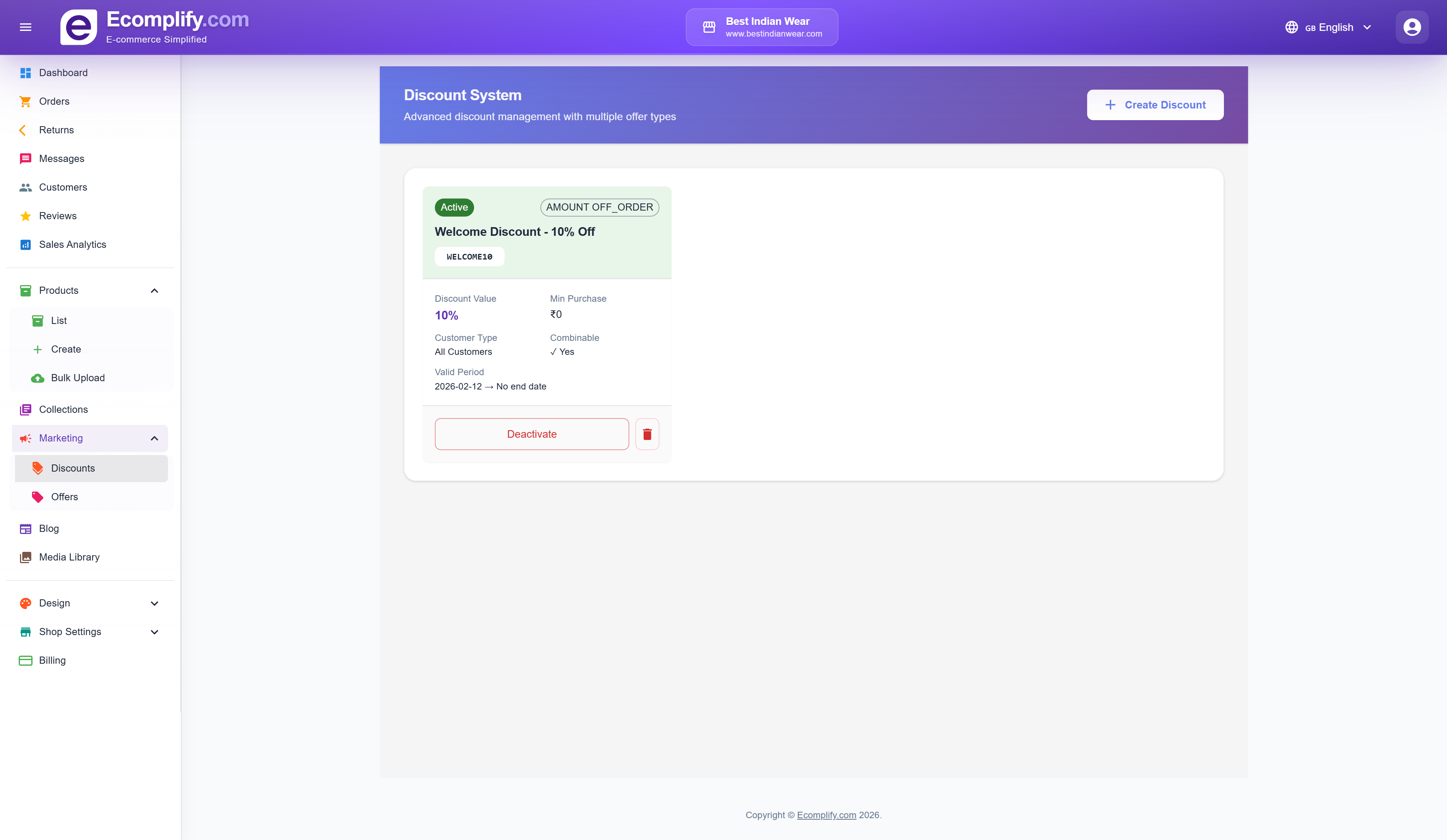
Creating a Discount
Click Create Discount to set up a new discount code.
Discount Types
- Amount Off Order - Fixed amount discount (e.g., $10 off)
- Percentage Off - Percentage discount (e.g., 10% off)
- Buy X Get Y - Buy one get one style promotions
- Free Shipping - Waive shipping fees
Discount Configuration
- Discount Code - The code customers enter at checkout (e.g.,
WELCOME10) - Discount Value - The amount or percentage off
- Min Purchase - Minimum order value required to use the discount
- Customer Type - Apply to All Customers, New Customers, or Returning Customers
- Combinable - Whether this discount can be combined with other discounts
- Valid Period - Set start and end dates, or make it permanent
Discount Management
Each discount card shows:
- Active/Inactive status badge
- Discount type label
- Discount name and code
- Discount value and minimum purchase
- Customer eligibility
- Validity period
- Deactivate/Activate button to toggle the discount
- Delete button to remove the discount
Offers
Create promotional offers and deals for your products.
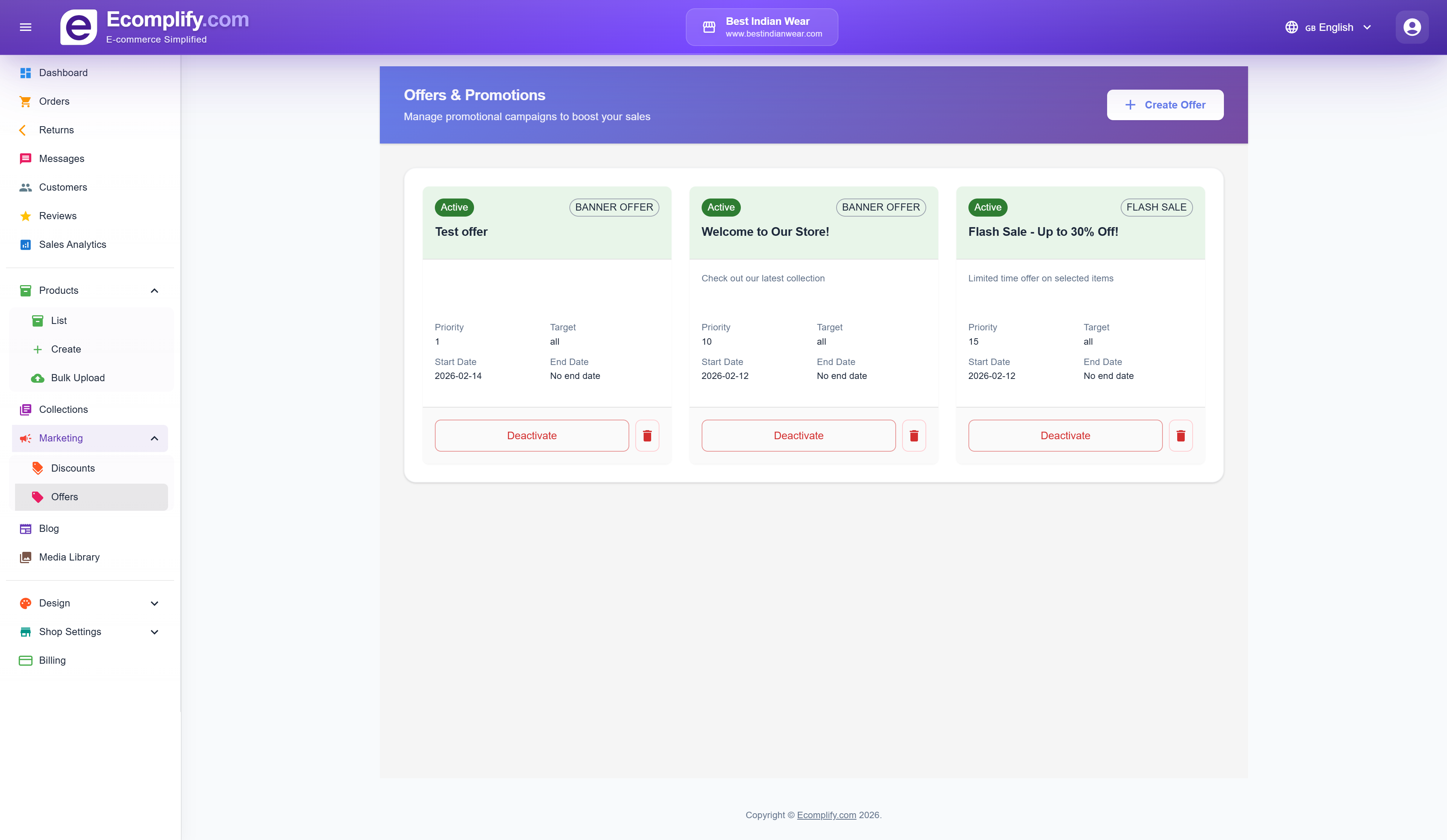
Offers work similarly to discounts but are applied automatically to eligible products rather than requiring a coupon code. Use offers for:
- Seasonal sales and promotions
- Flash sales with time limits
- Product-specific deals
- Category-wide discounts
Social Posts
Marketing → Social Posts schedules and publishes marketing posts to Facebook, Instagram, X (Twitter), Threads and LinkedIn directly from your dashboard, including sharing your blog posts.
It has its own guide with per-platform setup instructions: Social Media Posts.
Abandoned cart recovery
Automatic reminder emails to customers who left items in their cart are covered in Abandoned Cart Recovery.