Collections
Organize your products into curated collections to help customers discover items easily.
Collections List
View and manage all your product collections.
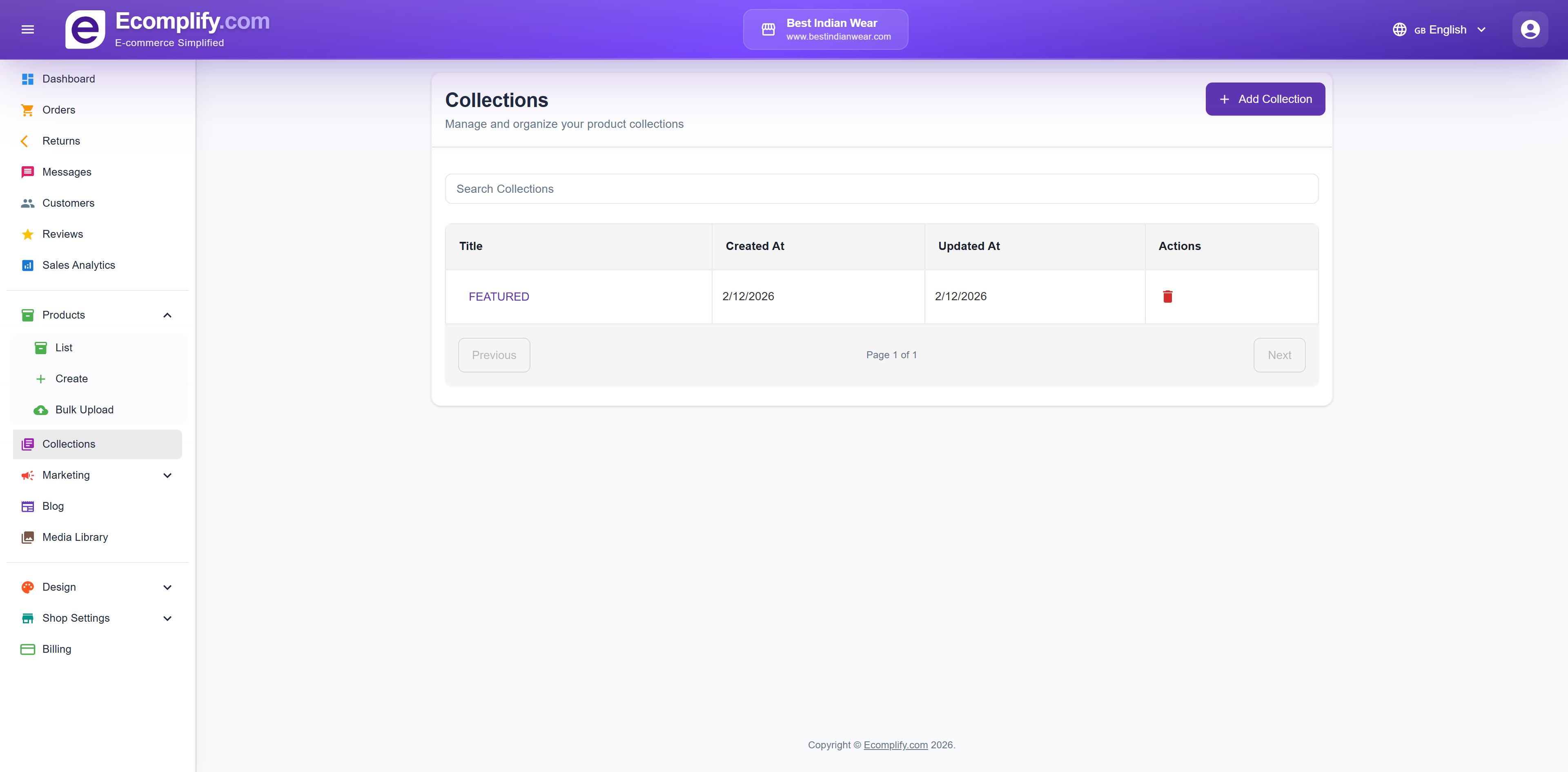
Creating & Editing Collections
Create collections to group related products together (e.g., "Featured", "Summer Sale", "New Arrivals").
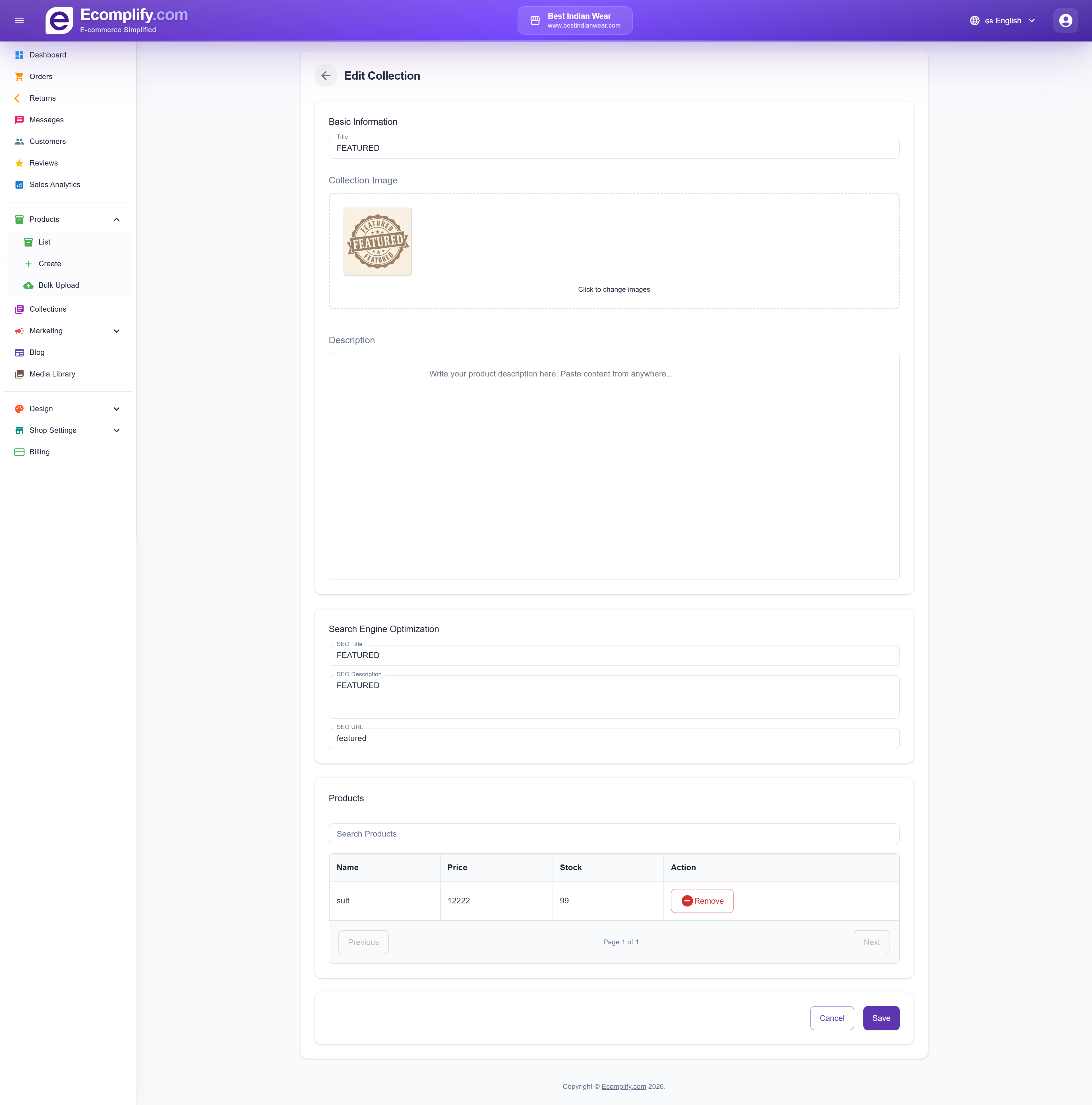
Collection Fields
Basic Information
- Title - The collection name displayed to customers
Collection Image
- Upload a cover image that represents the collection
- Displayed on the collections page and in navigation
Description
- Rich text description of the collection
- Shown on the collection page in the storefront
Search Engine Optimization
- SEO Title - Custom title for search engine results
- SEO Description - Meta description for the collection
- SEO URL - Custom URL slug (e.g.,
featured,summer-sale)
Products
- Search and add products to the collection
- View product name, price, and stock
- Remove products from the collection
- Paginated product list
How Collections Appear on the Storefront
Collections are displayed on the storefront as browsable categories with their cover images. Customers can browse all collections or navigate directly to a specific one to view its products.